
April 03, 2019
Finding unique values and remove null values with Logic Apps
A few weeks ago, I had a need to take some streaming IoT data and find a list of unique code values it was returning. For each measurement in the database, a machine would record a string of certain codes that we needed to understand. Some measurements yielded a “null” which we needed to remove from the strings of data prior to analysis.
As an example, here is a sample set of values being sent from the device:
B1234,C45,C45,,G4552,H34425,A1234,,,,,,,H45,T3325,,,,Z44,H45,G4552
Our goal is to end up with a string of values that are free of null values and only unique codes. The extra commas are the result of null values being sent.
Setting up the Logic App
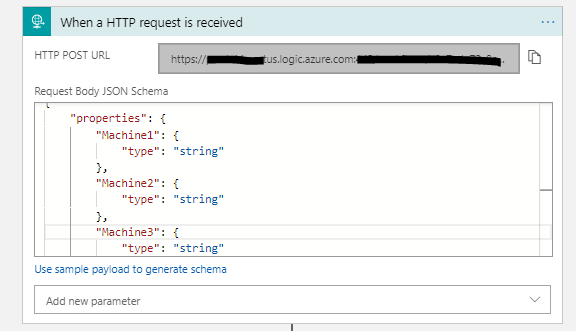
- Within Logic Apps, I have a HTTP trigger that will accept the codes from the device.
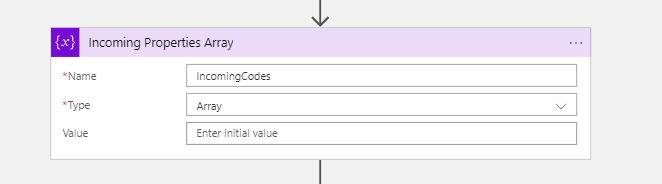
- Create a variable to contain the string of values being received.
- Create a large combined string that will hold all the machines values. This is done by concatenating all of the machine strings together.

- Next split the new string and store it as an array.

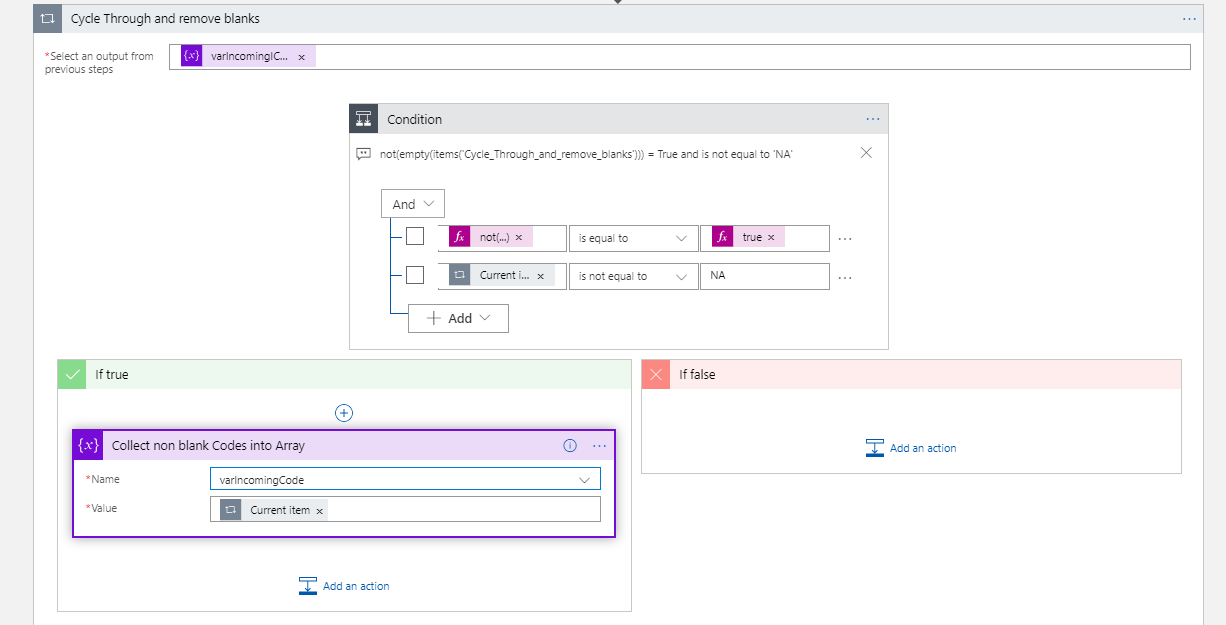
split(variables(‘varCombinedString’),’,’) - Create a loop to remove any of the “null” values in the array of values. This step was assisted by Sandy Ussia (@SandyU) who reminded me that you need to have a condition actually arrive at a decision of true or false.
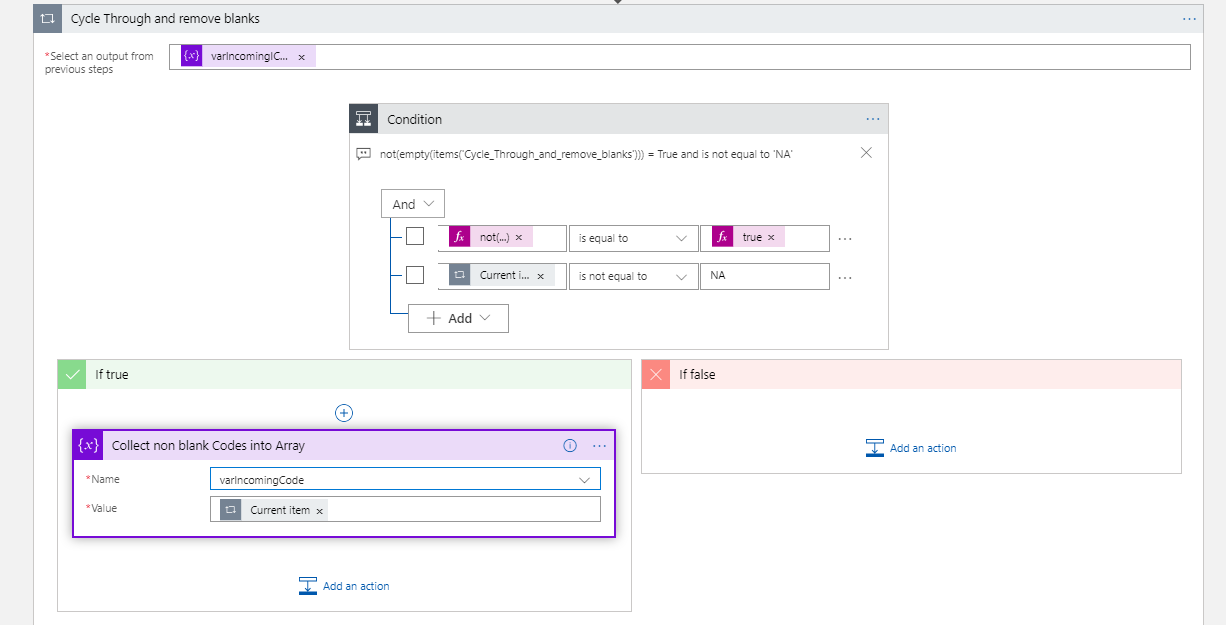
not(empty(items(‘Get_all_incoming_manged_properties’))) “is equal to” true - I used an expression called “Intersection” within a Compose to compare the original array to the new array without null values. This will return an array with only unique values, and best of all, no “nulls”.

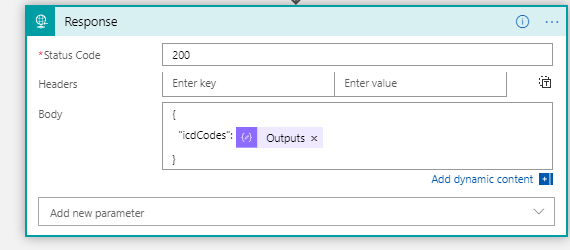
intersection(variables(‘varIncomingSplit’),variables(‘IncomingCodes’)) - Lastly, the cleansed array of codes is returned and is sent to another analysis step with the Response.
Again, I wanted to express my gratitude to the Flow and Logic Apps community for always being available for questions!
Good luck in your data cleansing and automation tasks.